Desktop Support Technician Resume Example
 Example by JobSprout
Free to use. No download fee.
Market Insights
Desktop Support Technician
Salary Range
Salary Trend
12-Month Trend
Based on advertised Administration roles.
US market data · Source: Adzuna · Updated Sep 2026
How useful was this template?
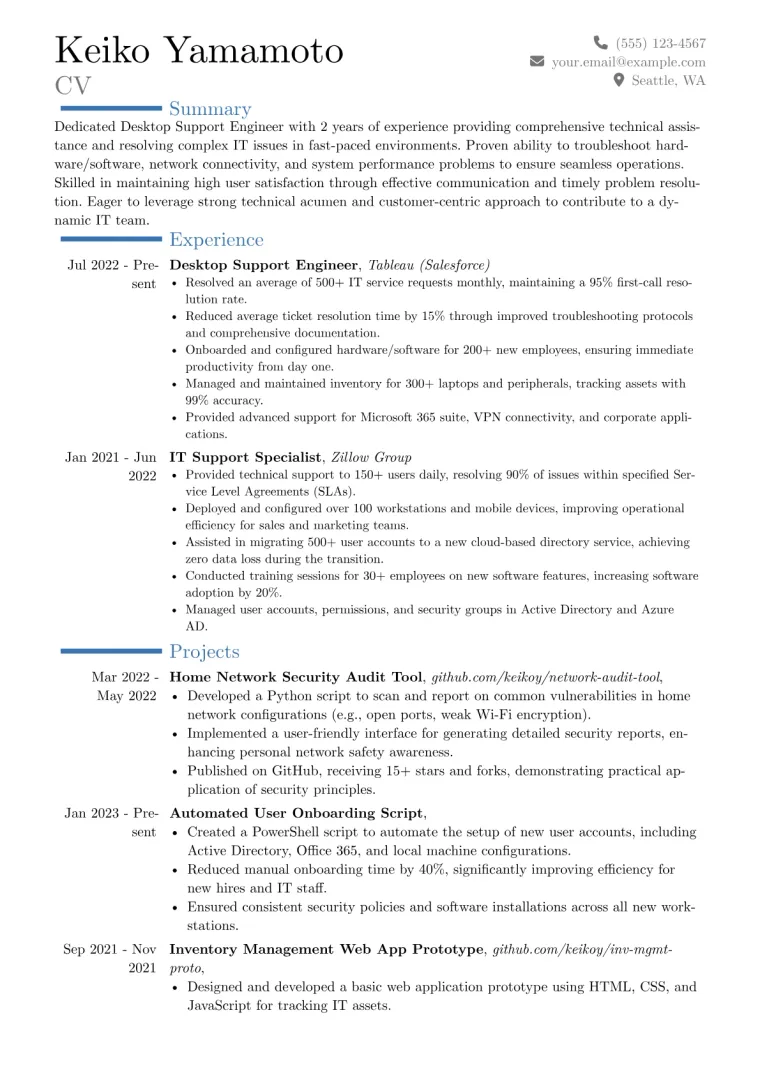
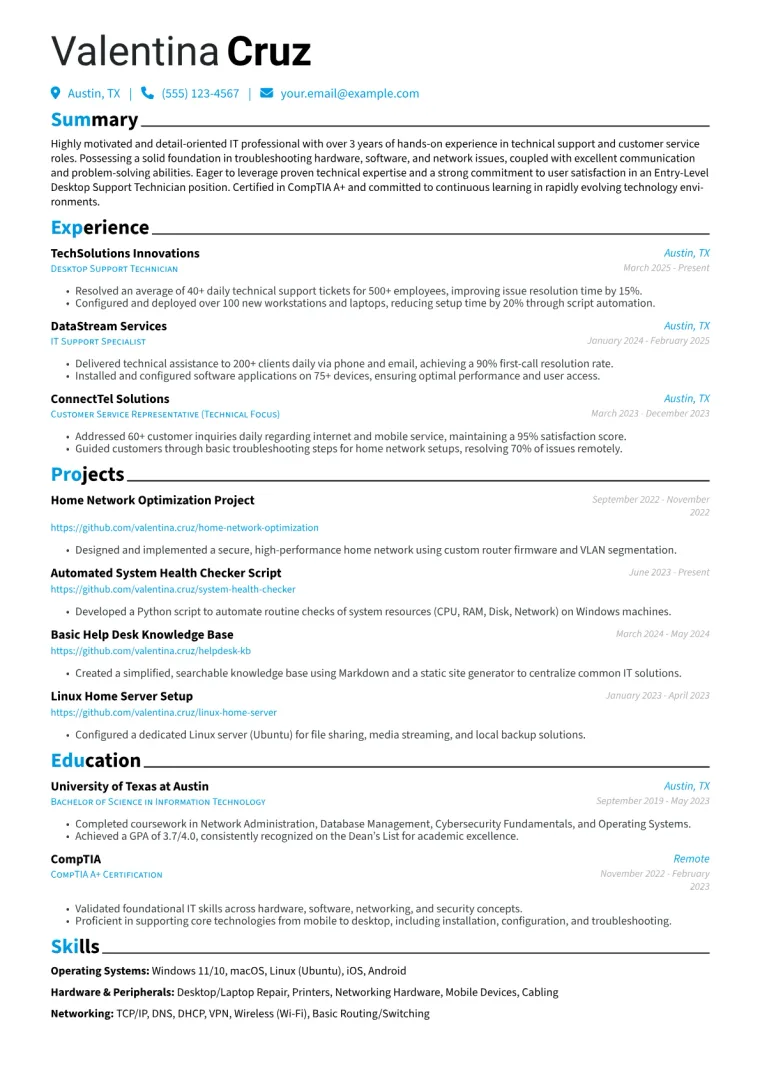
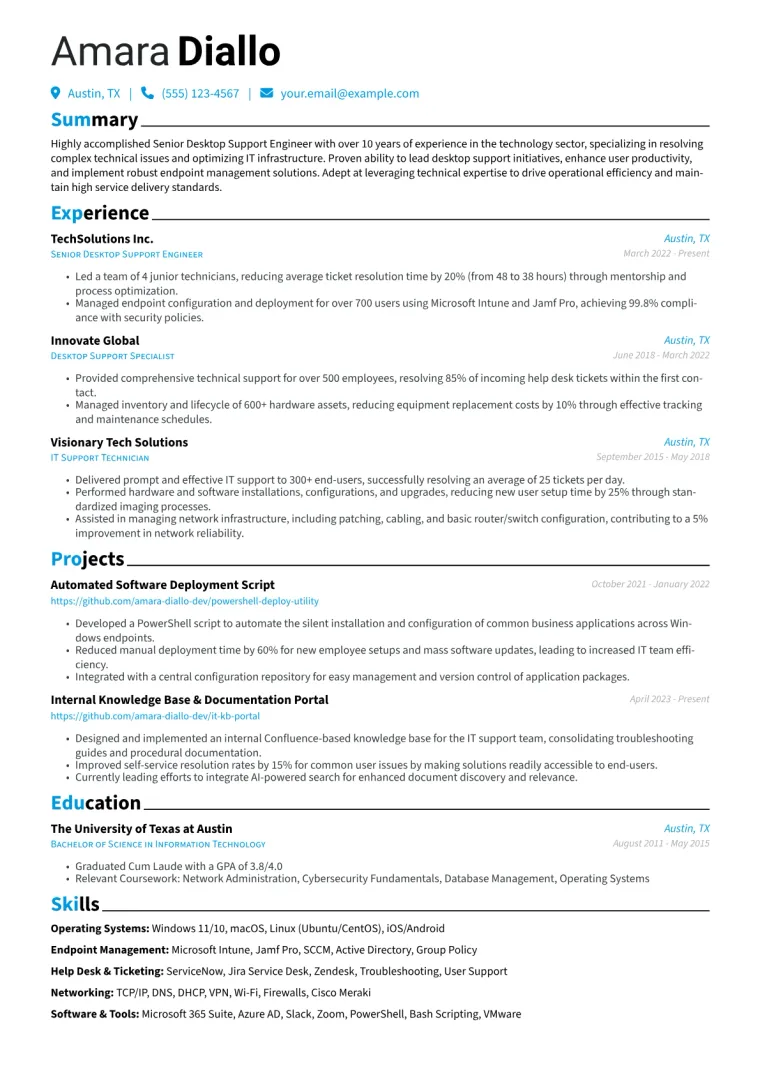
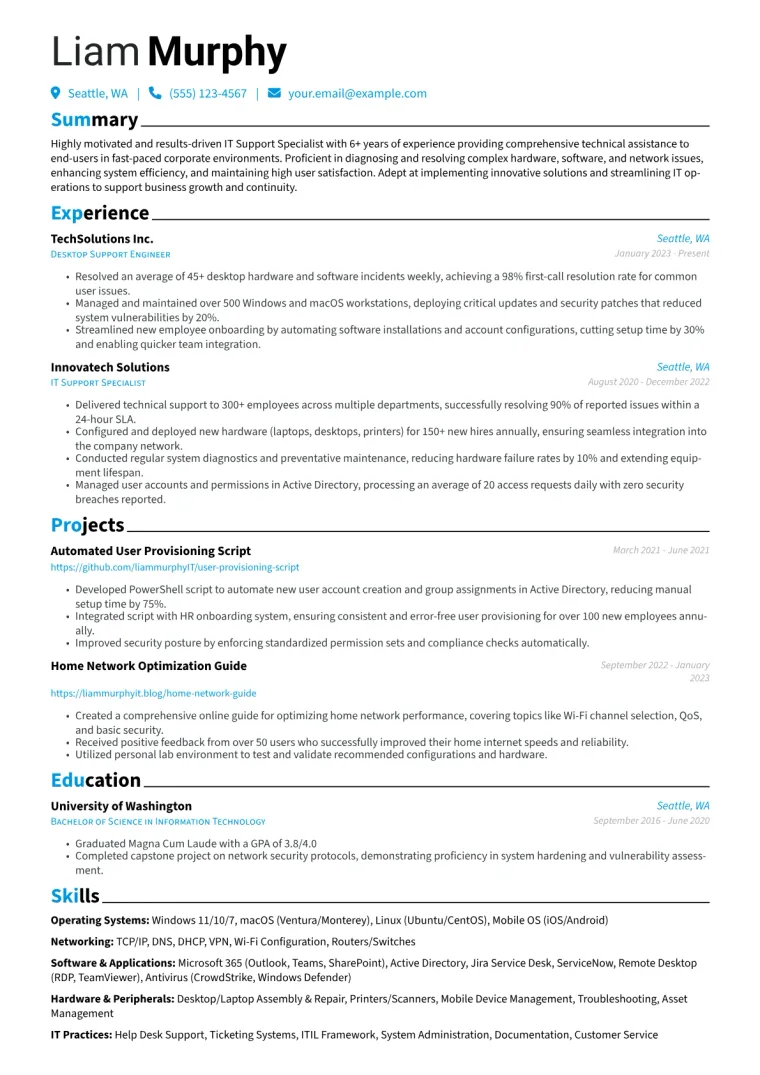
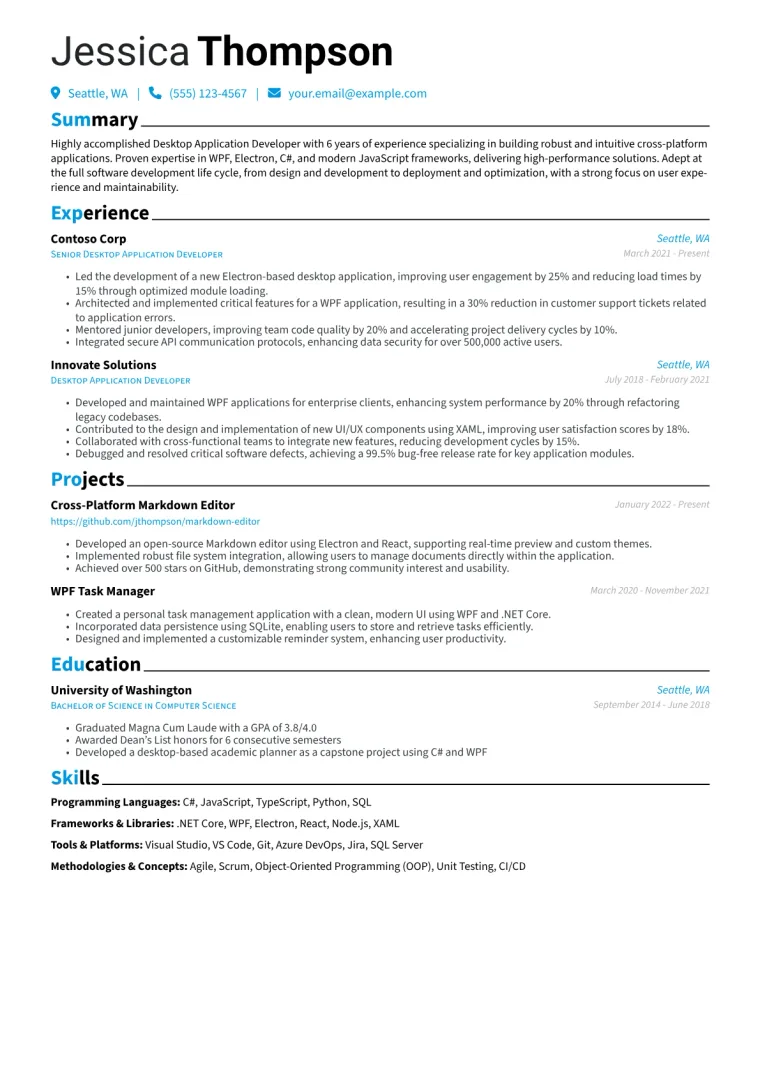
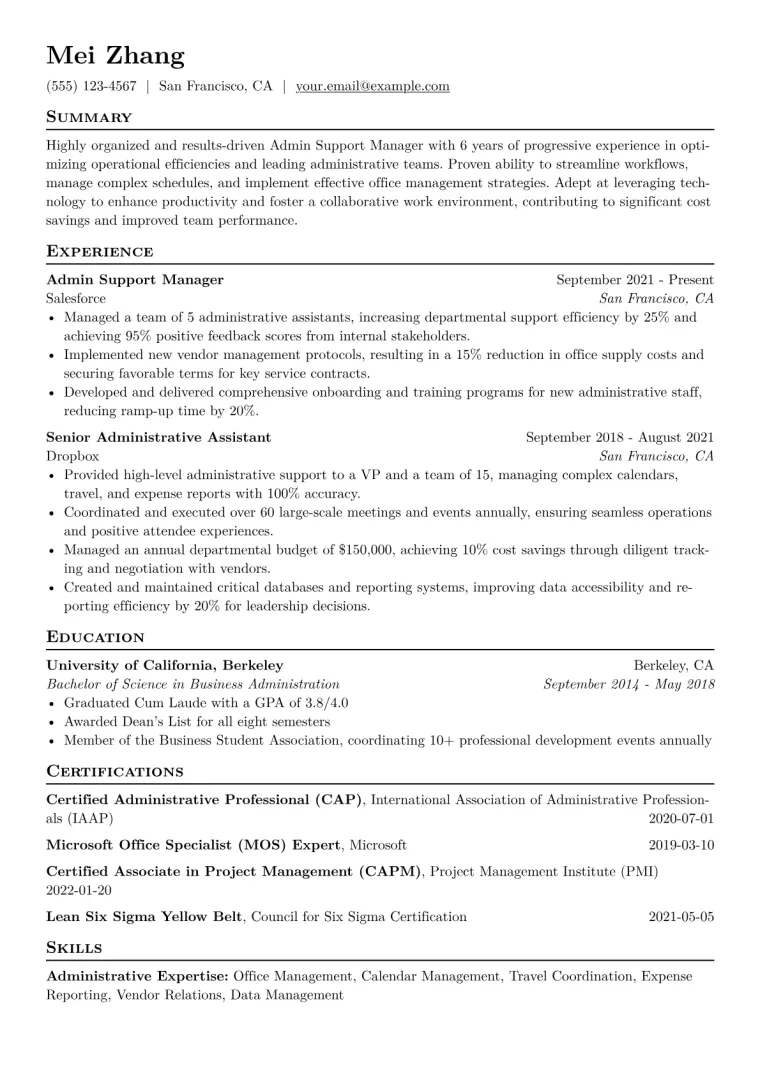
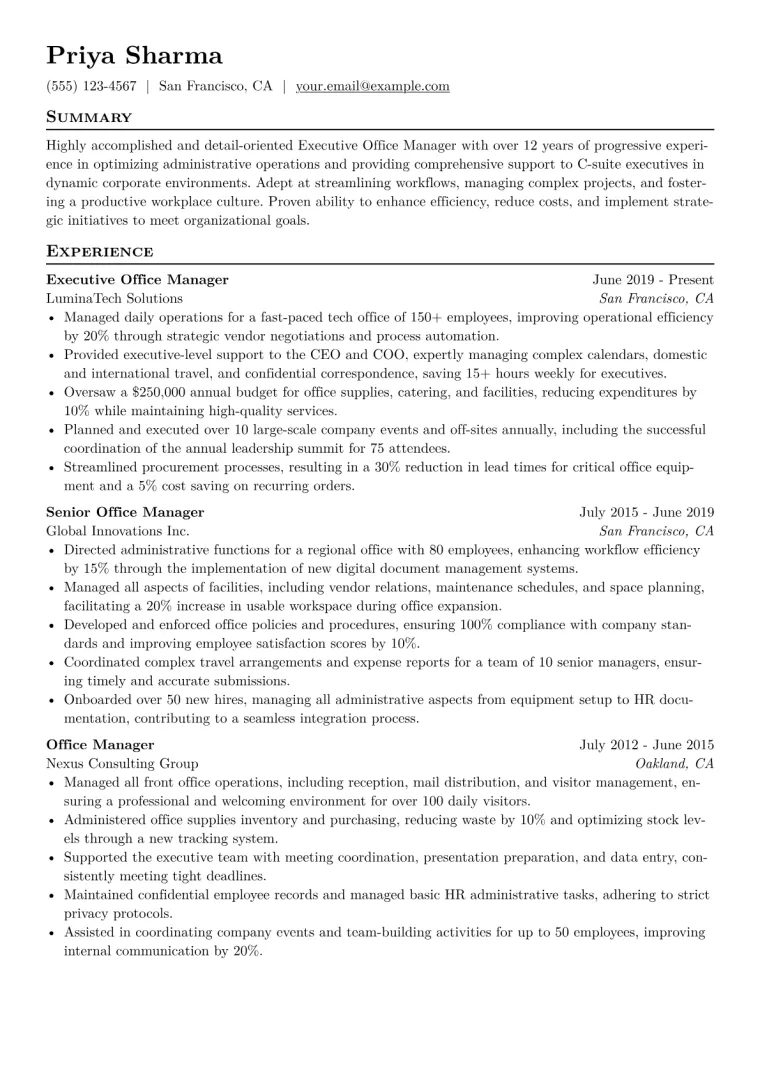
Desktop Support Technician resume samples
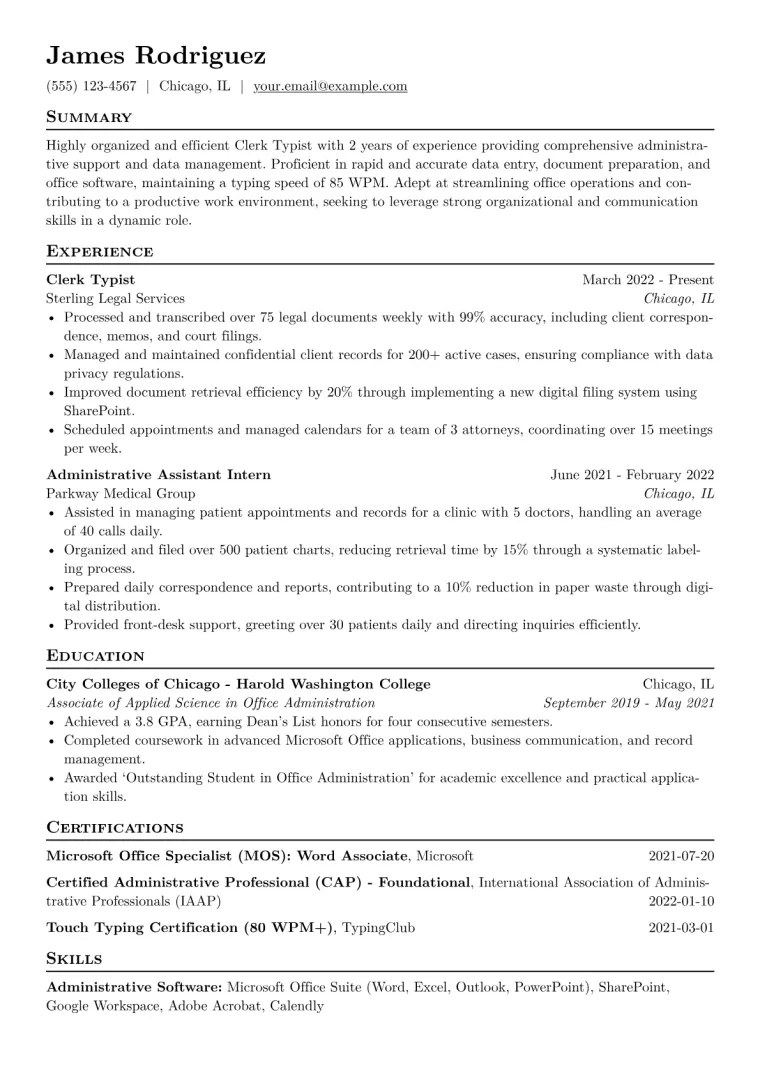
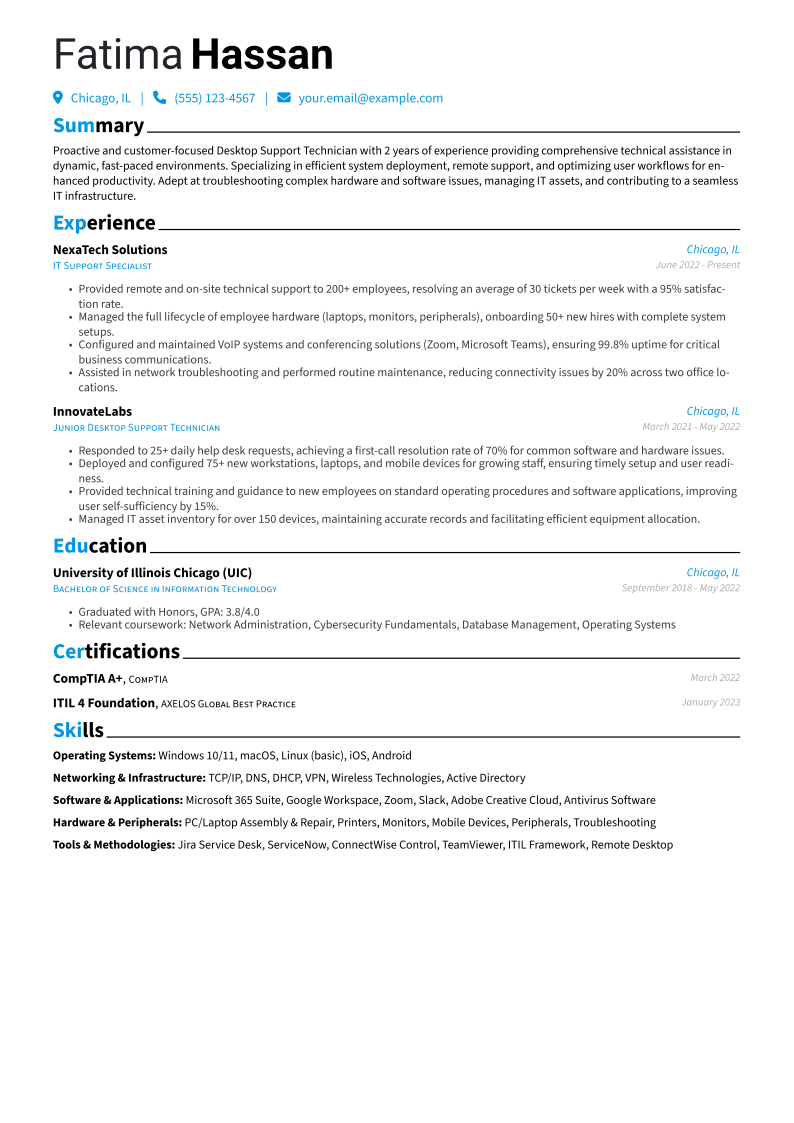
Three complete resumes, each in a different design.
Free to use. No download fee.
What makes a strong Desktop Support Technician resume?
US median salary $60,000 ·
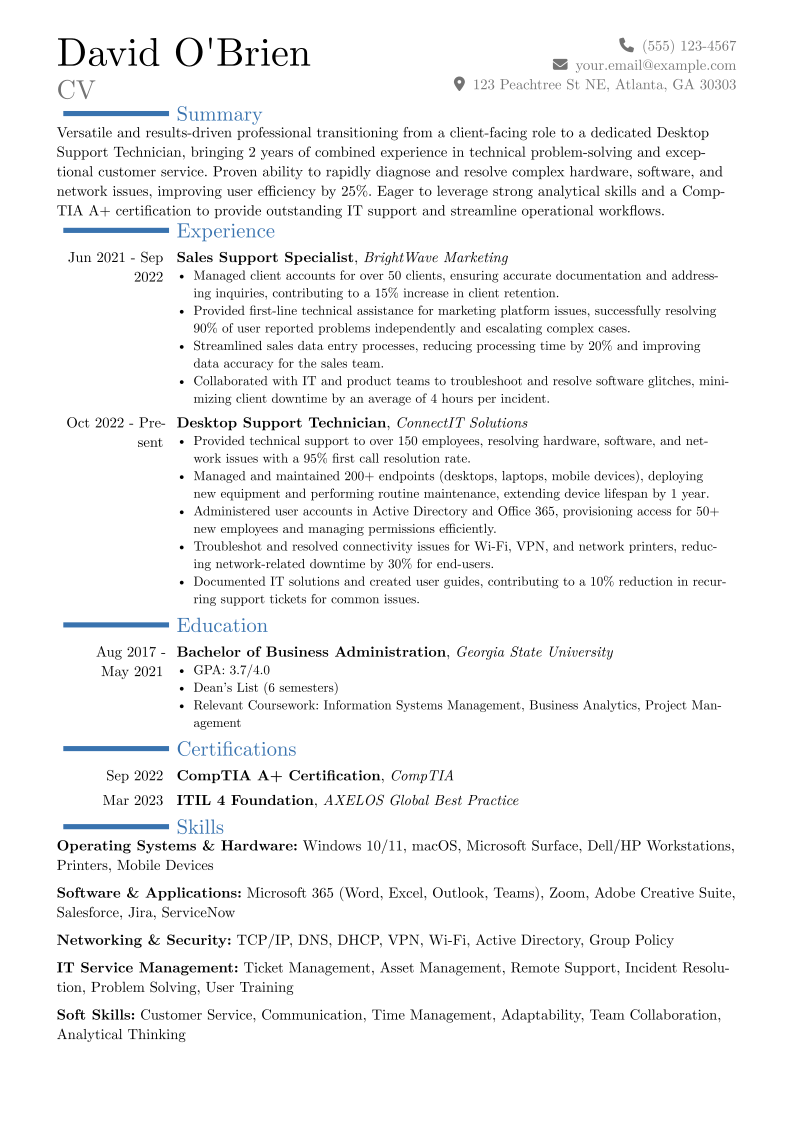
A strong Desktop Support Technician resume highlights both technical aptitude and a service-oriented mindset, critical for immediate entry into the field. Hiring managers seek clear evidence of problem-solving capabilities, often quantified by resolution rates or user satisfaction improvements. Expertise in operating systems like Windows and macOS, alongside productivity suites such as Microsoft 365, is foundational. Relevant certifications like CompTIA A+, Microsoft Certified: Modern Desktop Administrator Associate, and ITIL 4 Foundation signal a candidate's commitment to industry best practices and core competencies. Practical experience with ticketing systems like ServiceNow or Jira Service Desk is also highly valued, as is basic network troubleshooting.
Why this example works
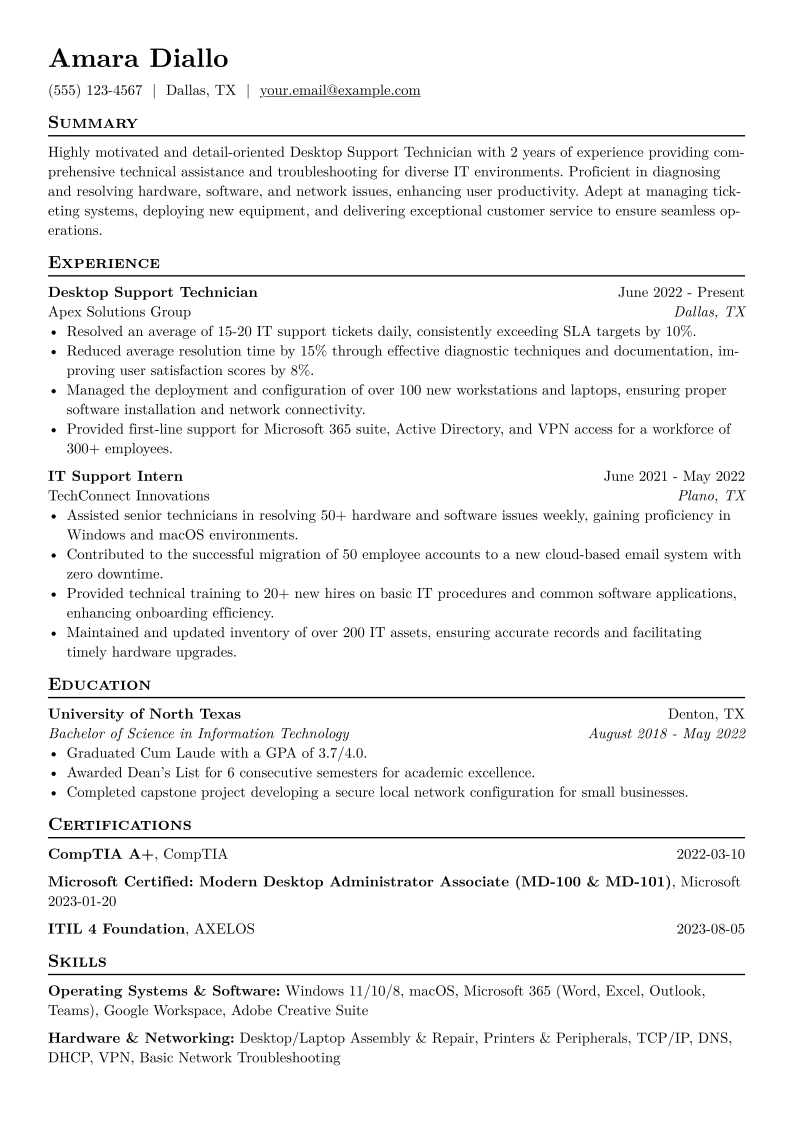
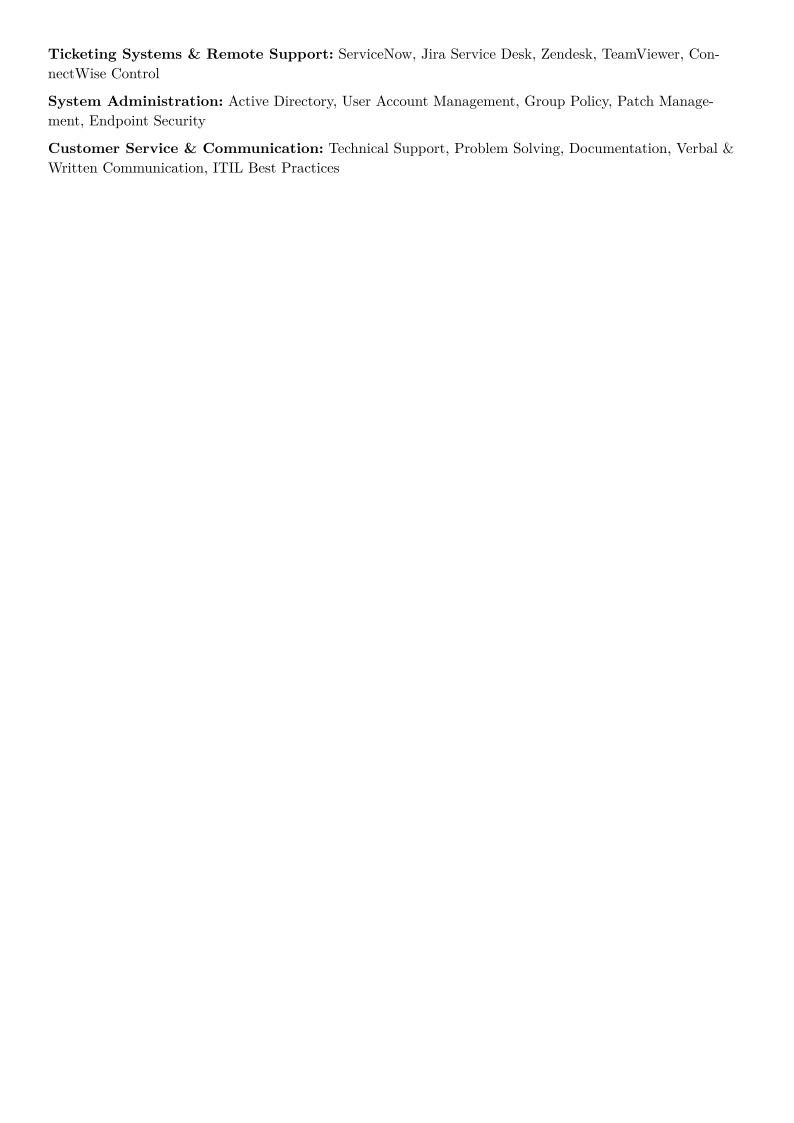
This example resume effectively showcases Amara Diallo's capabilities for an entry-level Desktop Support role. The “Experience” section details quantifiable achievements, such as “Resolved an average of 15-20 IT support tickets daily, consistently exceeding SLA targets by 10%” and “Reduced average resolution time by 15%.” The “Skills” section is comprehensive, listing specific proficiencies in “Operating Systems & Software” including Windows 11/10/8 and Microsoft 365, “Hardware & Networking,” “Ticketing Systems & Remote Support,” and “System Administration” with Active Directory. The inclusion of CompTIA A+, Microsoft Certified: Modern Desktop Administrator Associate, and ITIL 4 Foundation certifications further strengthens the application.
How useful was this template?
Example by JobSprout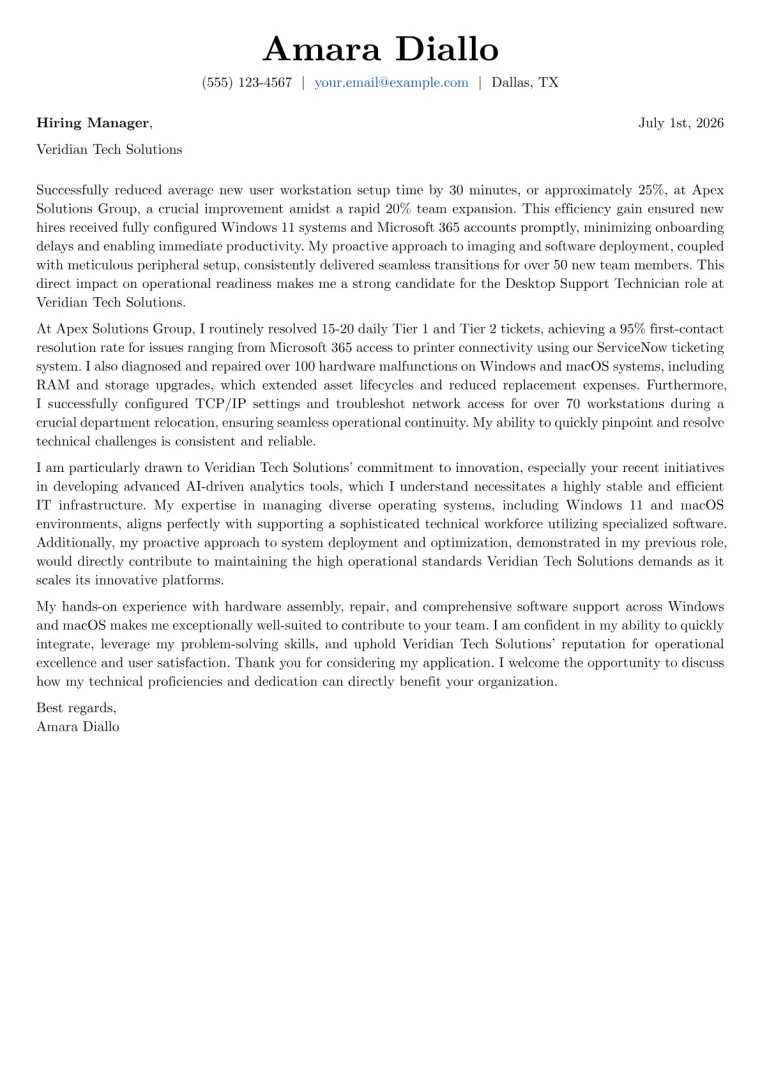
Desktop Support Technician Cover Letter Example
Written for the same person as this resume, ready to adapt.
Desktop Support Technician resume summary example
Highly motivated and detail-oriented Desktop Support Technician with 2 years of experience providing comprehensive technical assistance and troubleshooting for diverse IT environments. Proficient in diagnosing and resolving hardware, software, and network issues, enhancing user productivity. Adept at managing ticketing systems, deploying new equipment, and delivering exceptional customer service to ensure seamless operations.
Desktop Support Technician salary by country
| Country | 25th percentile | Median | 75th percentile |
|---|---|---|---|
| US | $48,167 | $60,000 | $82,903 |
| UK | £30,879 | £37,521 | £49,639 |
| Canada | C$54,015 | C$76,330 | C$106,695 |
| Australia | A$81,573 | A$97,932 | A$124,030 |
| Germany | €41,304 | €59,718 | €72,819 |
| France | €26,998 | €34,650 | €42,911 |
| Netherlands | €40,158 | €49,152 | €62,025 |
| Italy | €17,965 | €23,981 | €29,327 |
| Austria | €34,500 | €56,250 | €71,293 |
| New Zealand | NZ$78,854 | NZ$101,126 | NZ$125,255 |
| India | ₹403,908 | ₹807,816 | ₹1,539,889 |
| Poland | zł159,882 | zł198,275 | zł221,495 |
Annual salaries in local currency, aggregated from live job postings via Adzuna. Figures refresh continuously and reflect advertised pay, not negotiated offers.
Desktop Support Technician resume skills and keywords
Recruiters and applicant tracking systems scan Desktop Support Technician resumes for these skills and keywords. Include the ones that match your experience and mirror the wording in the job description. Check your resume against them with the free ATS checker.
Hard skills
Tools & software
Certifications
Soft skills
Market Insights
Desktop Support Technician
Salary Range
Salary Trend
12-Month Trend
Based on advertised Administration roles.
US market data · Source: Adzuna · Updated Sep 2026
Frequently Asked Questions
As an entry-level Desktop Support Technician, what's the most effective resume structure to highlight relevant skills and any limited experience?
What foundational technical skills, customer service abilities, or troubleshooting methodologies should an entry-level Desktop Support Technician emphasize?
How can an entry-level Desktop Support Technician write a compelling objective or summary and use bullet points for any relevant experience, like internships or volunteer work?
Which optional sections, such as IT certifications (e.g., CompTIA A+), relevant coursework, or community IT support experience, are most valuable for this role?
How do I tailor my Desktop Support Technician resume to different company environments or specific tech stacks, and how can JobSprout's 'Remix with AI' help adapt it?
The blank page is the hard part. Skip it.
Free to use. No download fee.