ChatGPT plugin
Your resume, built in ChatGPT.
Score your resume, choose a design and keep editing in your JobSprout account.
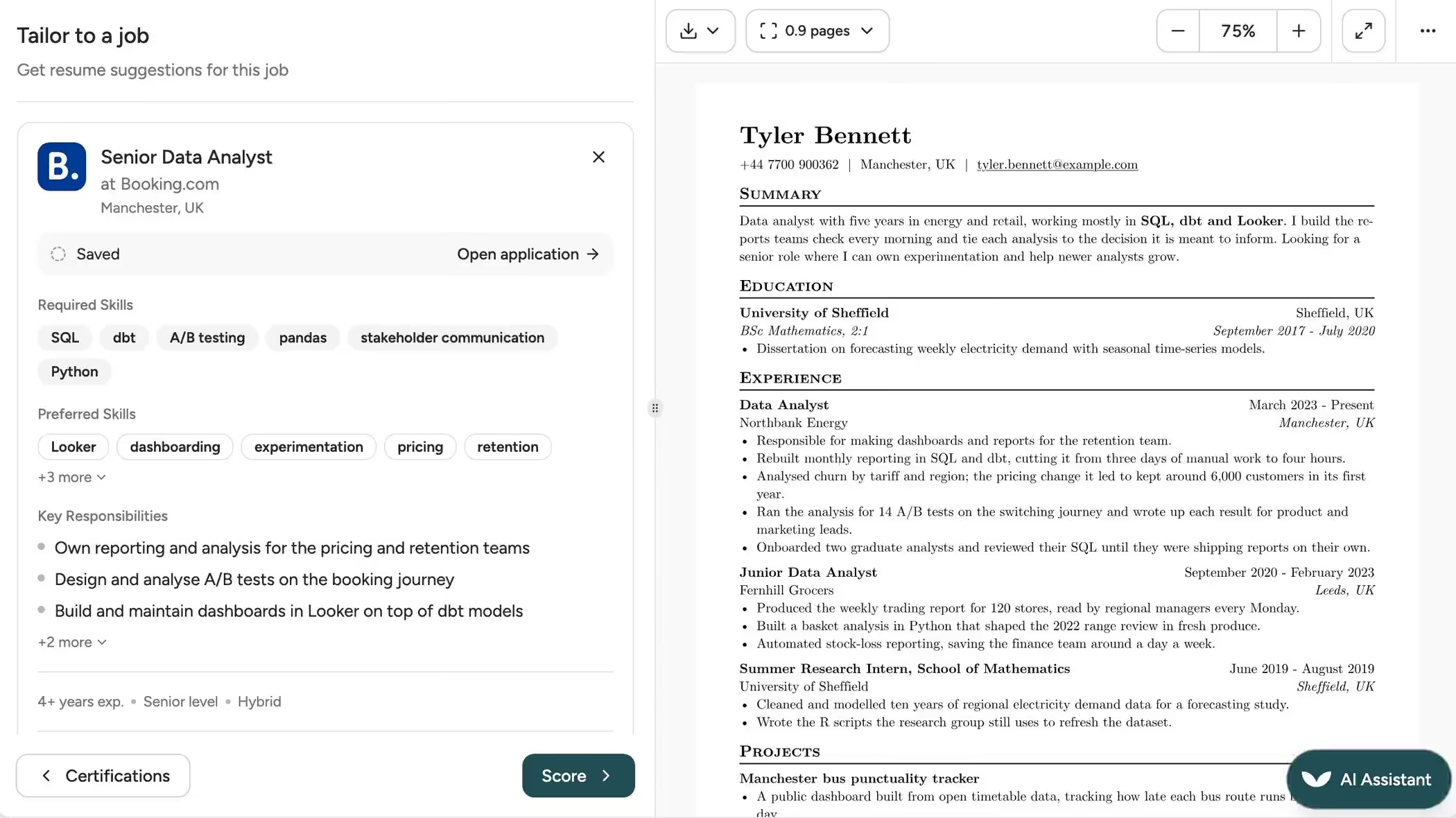
Connect once. Start with your resume.
- 1
Connect your account
Open JobSprout in ChatGPT, select Install plugin and sign in to JobSprout when prompted.
- 2
Bring your resume
Paste your resume or attach a PDF or Word (.docx) file. You can also ask for a resume already saved in your account.
- 3
Ask for the next change
Get a review, choose a design or tailor your saved resume to a job description.
Ask for the resume you need next.
- “Score my resume and show me what to fix.”
- Get a score out of 100 and feedback for each category.
- “Build my resume with a professional template.”
- See a preview, download the PDF and open the saved resume in the JobSprout editor.
- “Tailor my saved resume to this job description.”
- Paste the job ad and JobSprout updates that resume. Ask for a matching cover letter next.
Frequently asked questions
Do I need a JobSprout account?
Yes. Sign in or create an account when ChatGPT asks you to connect JobSprout, so the resumes you build are saved there.
Is it free to use?
Yes, a free account includes one saved resume and unlimited PDF downloads. Some designs cost extra, as does AI use beyond your free allowance.
Can I upload the resume I already have?
Yes, as a text-based PDF or Word (.docx) document up to 2 MB. For a scanned resume, paste its text instead.
Will tailoring change my saved resume?
Yes. Asking JobSprout to tailor a saved resume in ChatGPT updates that document.
Does the score predict whether I'll get an interview?
No. It checks your resume against a fixed rubric and points to improvements; it cannot predict an employer's decision.